Microsoft Ecosystem
Turn Your Data into a Competitive Advantage Using Microsoft Power BI
14 June 2022 | Por Possumus
Simplify Big Data Preparation and Analysis with Power BI As a Microsoft Gold Partner, Possumus provides the resources and tools to help you make better business decisions and easily generate enriched visual analysis reports.

Microsoft Power BI is Microsoft's data analytics and visualization platform that enables organizations to unify information from multiple sources, build interactive reports, and make decisions based on reliable data. Integrated with Microsoft 365, Azure, and AI agents, it becomes the foundation for a governed, secure, and scalable data culture, particularly valuable in regulated sectors like banking.
For a technology director in banking, every decision depends on having the right data at the right moment. Yet in many financial institutions, information remains scattered across spreadsheets, emails, and siloed systems. This slows down decision-making and increases the risk of errors, particularly in a sector where trust, traceability, and regulatory compliance leave no room for failure.
Microsoft Power BI addresses that challenge head-on. It enables multiple data analyses within a single report or dashboard, helping teams analyze and manage data from different channels and display it in a graphical, customizable format. These reports make data far easier to consume: faster, more intuitive, and more engaging.
In this article, you'll discover what Microsoft Power BI can do, how it integrates with the tools your teams already use every day, and why data governance and AI agents make all the difference for a banking sector that needs to innovate without compromising security.
Microsoft Power BI: A Powerful Platform for Data-Driven Decisions
Microsoft Power BI unlocks the full value of your data and enables business analysts, IT professionals, and data scientists to collaborate seamlessly, delivering accurate, trusted information across the entire organization. This is critical in banking: when everyone works from a single source of truth, duplicate copies and inconsistencies are eliminated, preventing costly errors and audit findings.
Microsoft has been positioned as a Leader in the Gartner Magic Quadrant for Analytics and Business Intelligence Platforms, a recognition that validates the platform's strength for demanding enterprise environments.
What can you do with Power BI?
With Microsoft Power BI, your team can analyze and manage data from multiple channels, presenting it visually and in a customized way through all types of reports and dashboards. In practice, this means:
- Connect and unify all your data: Link cloud and on-premises sources in one place to create a single source of truth for the entire organization.
- Visualize any data: Transform raw numbers into interactive visuals that make information clear, comparable, and actionable.
- Get answers with Copilot: Ask questions about your data in natural language and receive reliable responses, with automatically generated visualizations and reports. -** Bring insights into your workflow:** Share reports securely in Microsoft Teams, PowerPoint, SharePoint, and Outlook.
How to Collaborate Using Microsoft Office and Power BI? Work together easily on the same data, collaborate on reports, and share insights through popular Microsoft Office applications like Microsoft Teams and Excel. This enables all users in your organization to quickly make data-driven decisions that drive strategic actions.
Accelerate Collaboration by Combining Microsoft Teams and Power BI
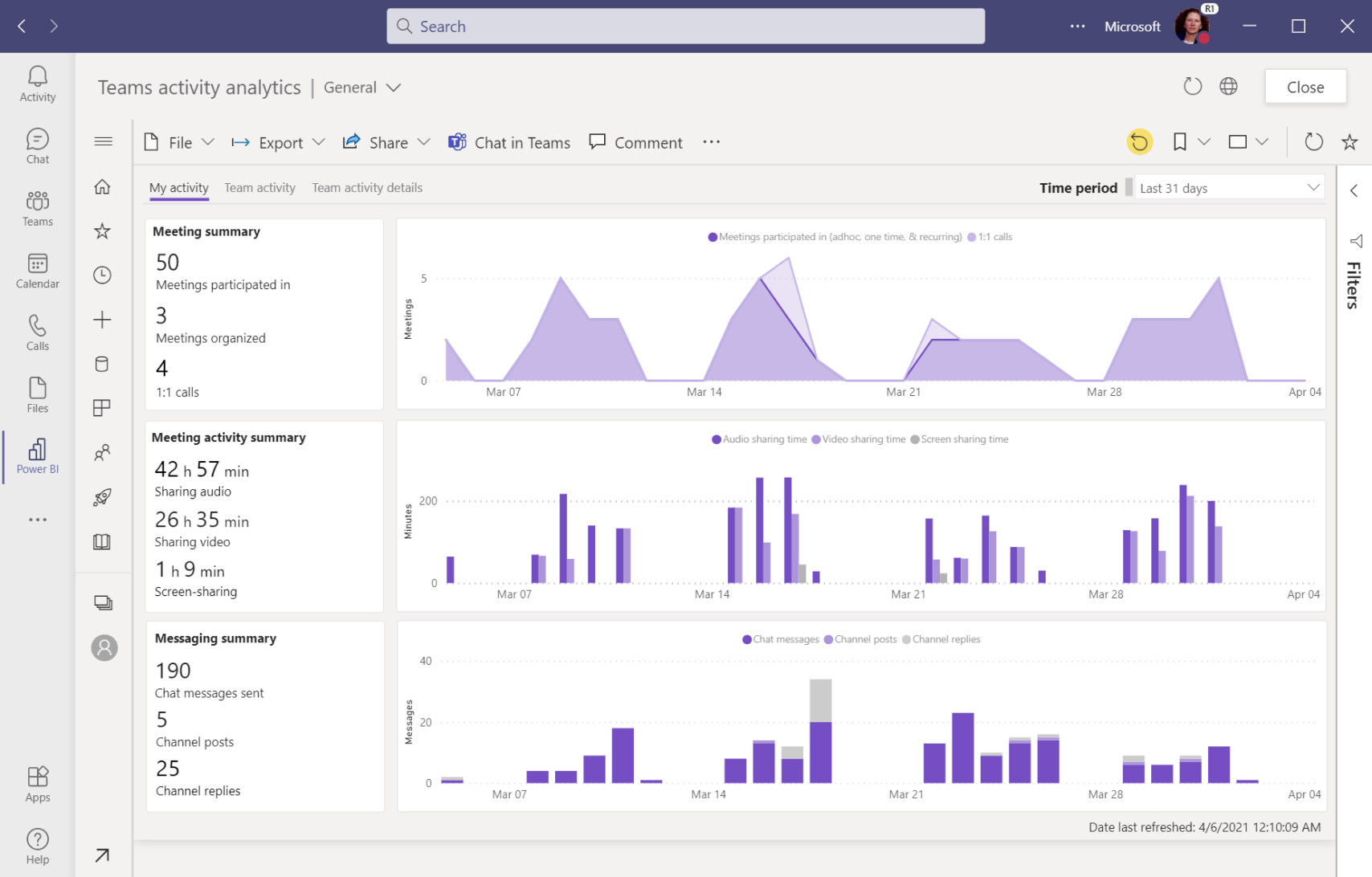
- Add interactive reports directly to Microsoft Teams conversations, so your team spends less time searching for data and more time acting on it.
- Give every user access to the data they need for a project by easily embedding Microsoft Power BI visuals.
- Streamline decision-making by viewing and collaborating on data presentations as a team.
- Set up alerts to receive notifications in Teams when a key indicator reaches a defined threshold — for example, if a risk or sales metric exceeds a target, the team gets an automatic alert.
Each report embedded in Teams has its own conversation thread, enabling discussions around the specific data being viewed and accelerating problem resolution.
Combine Excel with Power BI for Deeper Analysis and Visualization
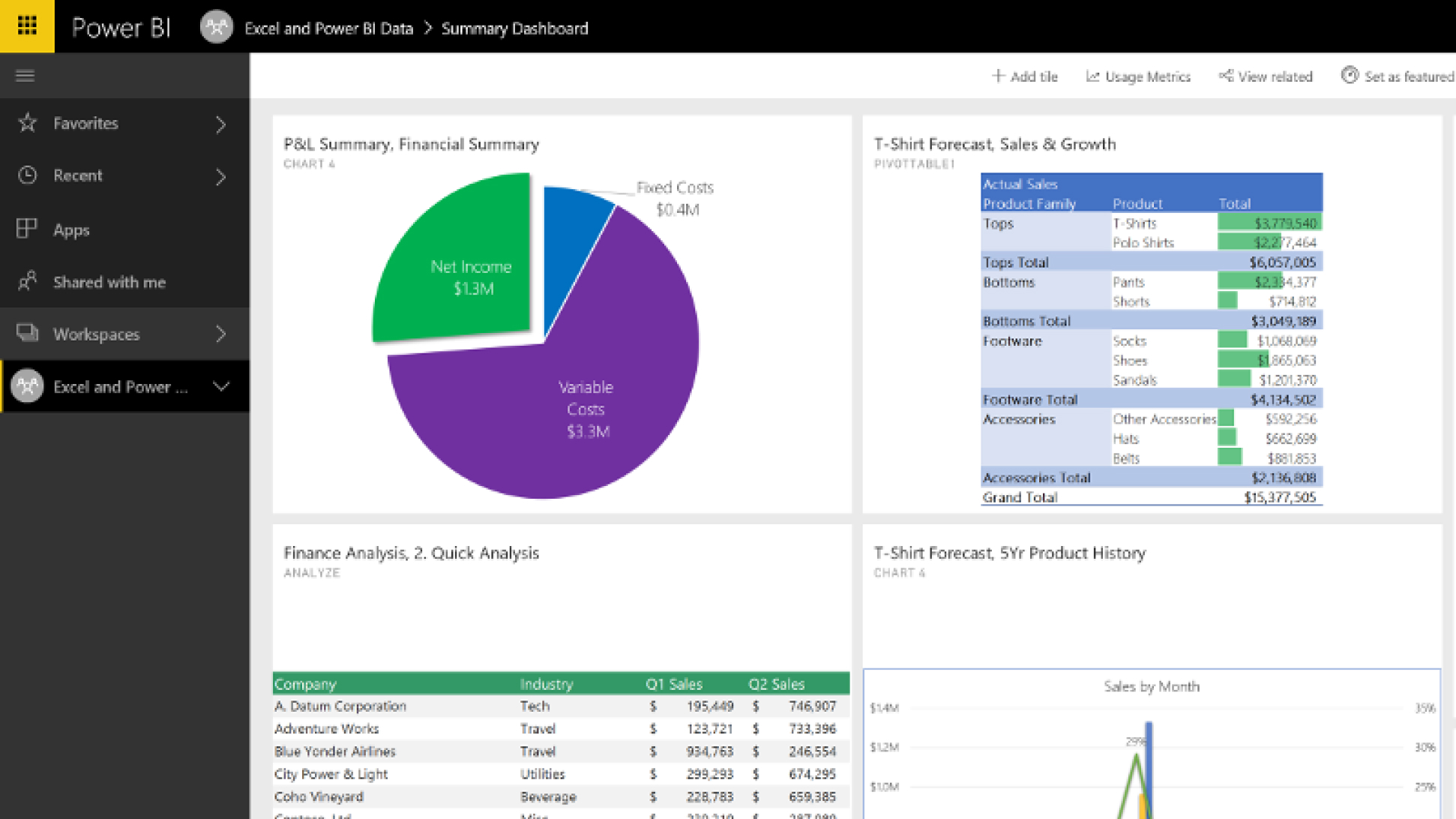
- Apply your existing Excel knowledge directly in Microsoft Power BI through familiar experiences, including Data Analysis Expressions (DAX) and Power Query.
- View and interact with Microsoft Power BI datasets in Excel, while retaining the platform's full interactivity.
- Automate data refreshes with a single click to instantly surface accurate, up-to-date information.
- Access advanced custom visualization, modeling, and predictive capabilities for sophisticated analytical workflows.
Connecting Excel files hosted on OneDrive or SharePoint ensures reports update automatically as data changes — eliminating the manual burden of uploading new versions.
 |  |
|---|
Microsoft Teams / Excel
Share reports easily with SharePoint
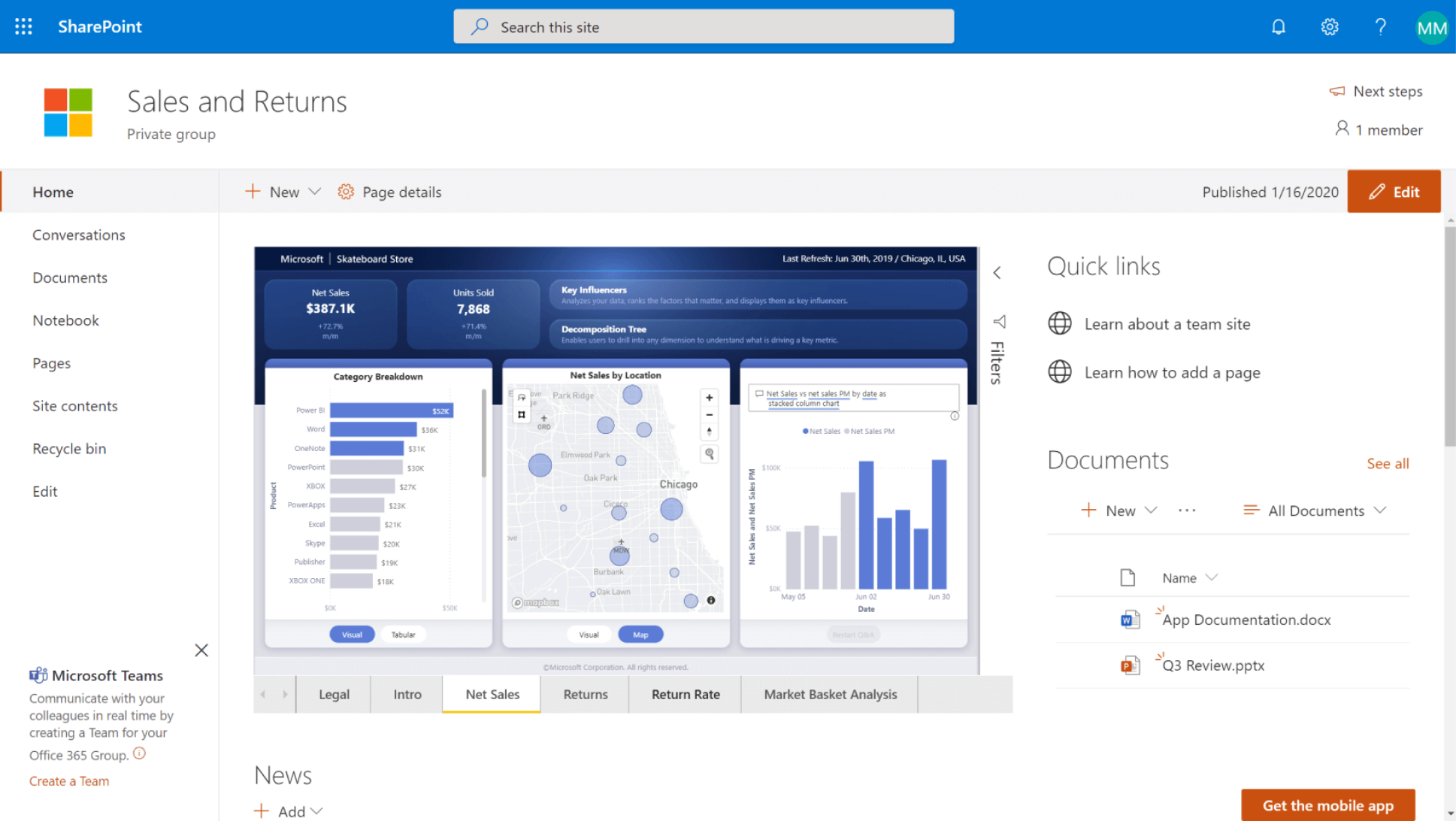
Embed interactive Microsoft Power BI reports directly into SharePoint Online pages that everyone can access.
- Stay on top of what matters by surfacing frequently consulted data visualizations in a centralized, accessible location.
- Customize report layouts to better meet the needs of different users across your organization.
- Reduce reliance on local files that can be lost or corrupted by storing reports in an online document library.
- Manage access permissions directly within the platform, ensuring each user only sees the information relevant to their role — fully aligned with your data governance policies.
Publish your reports directly to PowerPoint
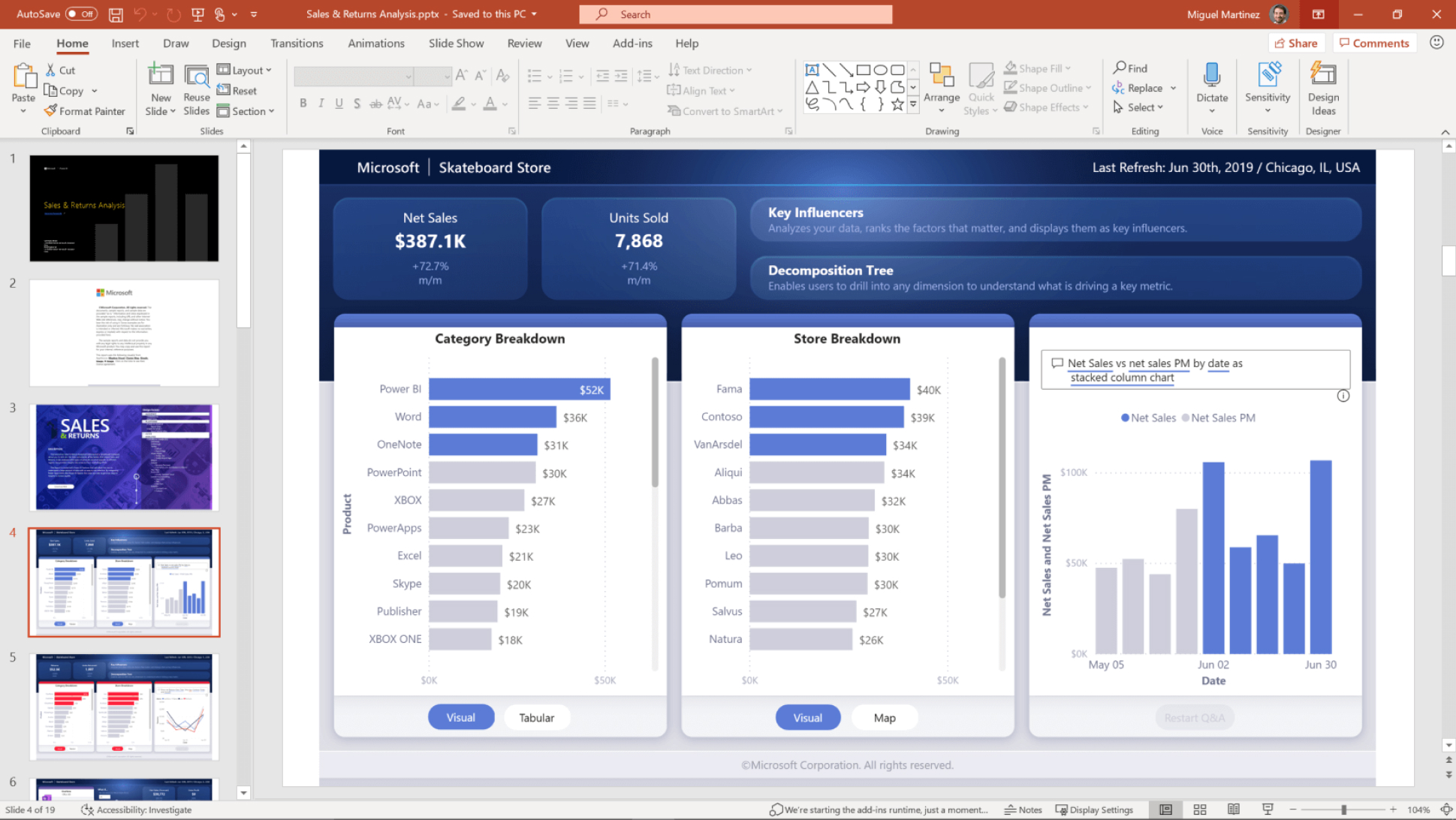
- Enhance clarity and decision-making by exporting Power BI reports to PowerPoint as high-resolution images.
- Move seamlessly between a presentation and the platform to drill deeper into data analysis whenever needed.
- Embed a live version of the report to interact with the most current data during a presentation.
- Build and publish reports using the PowerPoint skills your team already has.
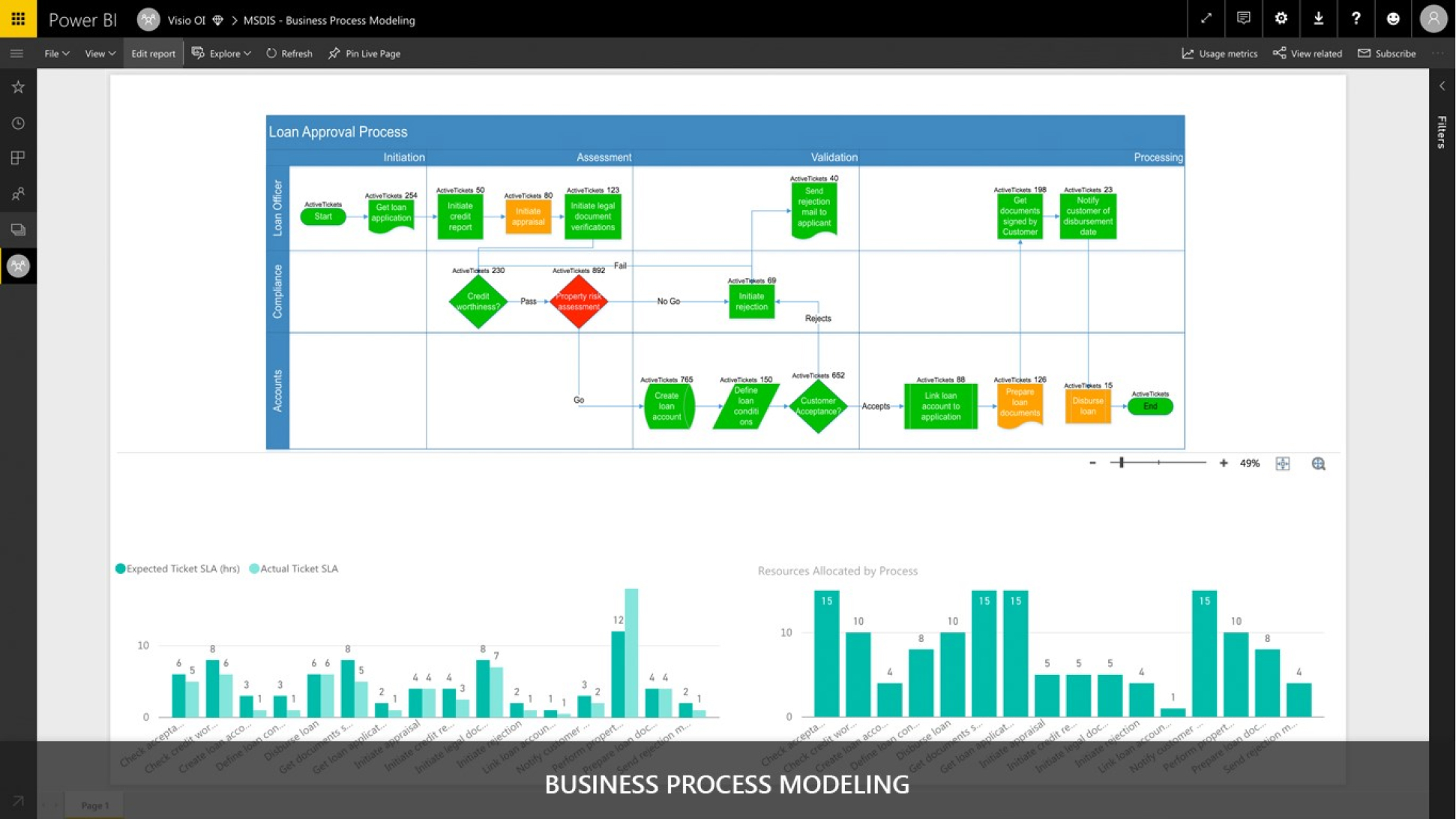
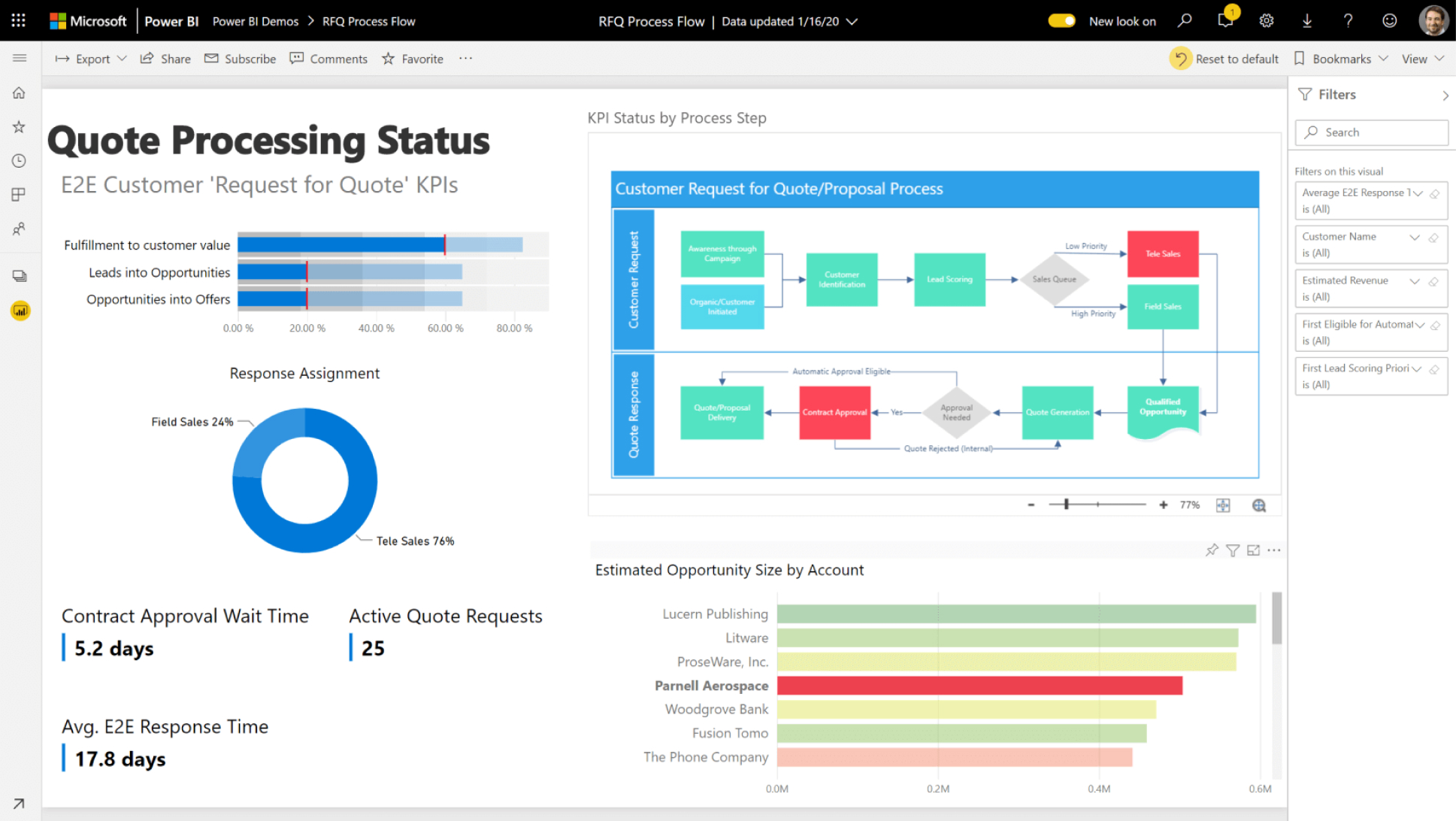
Create illustrative data diagrams with Visio
Convert your Visio diagrams into dynamic Power BI visualizations, accelerating the decision-making process with insightful, interactive data displays.
- Promote operational intelligence by creating illustrative diagrams, including interconnected workflows and real layouts.
- Gain a clearer overall view by illustrating and comparing data in the form of diagrams and traditional Power BI visuals, all in one place.
- Automatically link Power BI data to Visio diagrams hosted in SharePoint or OneDrive for Business.
 |  |
|---|
SharePoint / PowerPoint
 |  |
|---|
Microsoft Visio
Power BI is part of the Microsoft Power Platform toolset.
At Possumus, as a Microsoft Partner, we have implemented client solutions by connecting Microsoft tools such as Dynamics, Power Platform, Microsoft 365, and other third-party tools.
Together with Microsoft, we create comprehensive solutions, leveraging our expertise to enhance your company's productivity.
Turn data into knowledge and knowledge into action with Microsoft Power BI.
Data and Insights in Your Daily Communication with Outlook
Microsoft Power BI's integration extends to email. Users can subscribe to key reports and receive an updated snapshot directly in their inbox at a scheduled time. This is ideal for executives who need a daily or weekly summary of the most important indicators — without ever switching applications.
AI, Autonomous Agents, and Data Governance: Why They Matter in Banking
For a CTO or technology director in the financial sector, the conversation around data no longer stops at visualization. The rise of generative AI and autonomous agents opens up enormous opportunities: conversational assistants that answer questions about data, back-office task automation, and real-time pattern detection. Copilot in Microsoft Power BI enables exactly that — moving from a question to an insight without the manual effort of building reports.
That said, in a heavily regulated sector, adopting AI demands robust governance frameworks. Regulators are increasingly requiring transparency and traceability in the systems that support financial decisions — from credit scoring to anti-money laundering. This is why responsible AI maturity is becoming a genuine competitive differentiator for financial institutions.
Microsoft Power BI addresses this need with enterprise-grade security and governance capabilities:
- Sensitivity labels that persist even when data is exported to Excel, PowerPoint, or PDF, powered by Microsoft Purview Information Protection.
- Identity and access controls to ensure each user only sees the information they're authorized to view.
- Centralized data governance that helps meet regulatory and privacy requirements, with visual indicators for sensitive data.
Choose to adopt AI on a solid governance foundation when traceability and compliance matter more than speed at any cost — which in banking, is almost always the case. AI agents deliver real productivity gains, but their true value emerges when they operate within a secure, auditable framework.
Turn Data into Knowledge and Knowledge into Action with Microsoft Power BI
Microsoft Power BI is part of the Microsoft Power Platform suite. Integrating it with the ecosystem where your teams already collaborate daily — Microsoft 365 — doesn't change the way they work: it amplifies it, allowing data to flow intelligently, accessibly, and within a governed structure.
For financial institutions, this translates into two fronts advancing in parallel: accelerating technology modernization while simultaneously strengthening the capacity to manage risk and meet regulatory obligations.
About Possumus
At Possumus, we empower organizations to achieve digital transformation through strategy, expertise, and innovation — applying AI, data governance, and Business Intelligence solutions built on the Microsoft ecosystem. As a Microsoft Solution Partner with certifications across all Microsoft Cloud verticals and a specialization in Adoption and Change Management, we don't just implement Microsoft Power BI: we stay with your teams until adoption generates measurable, secure impact. Our processes are accredited with the ISO 9001:2015 certification for quality in software development. www.possumus.tech POSSUMUS, Microsoft Partner


Products


Copyright © 2026 Possumus. All Rigths Reserved.
Join Us


